Designing an AI system that learns from creators and turns scattered ideas into consistent progress.
0 -> 1 Product Design • Creator Economy • Shipped
Product
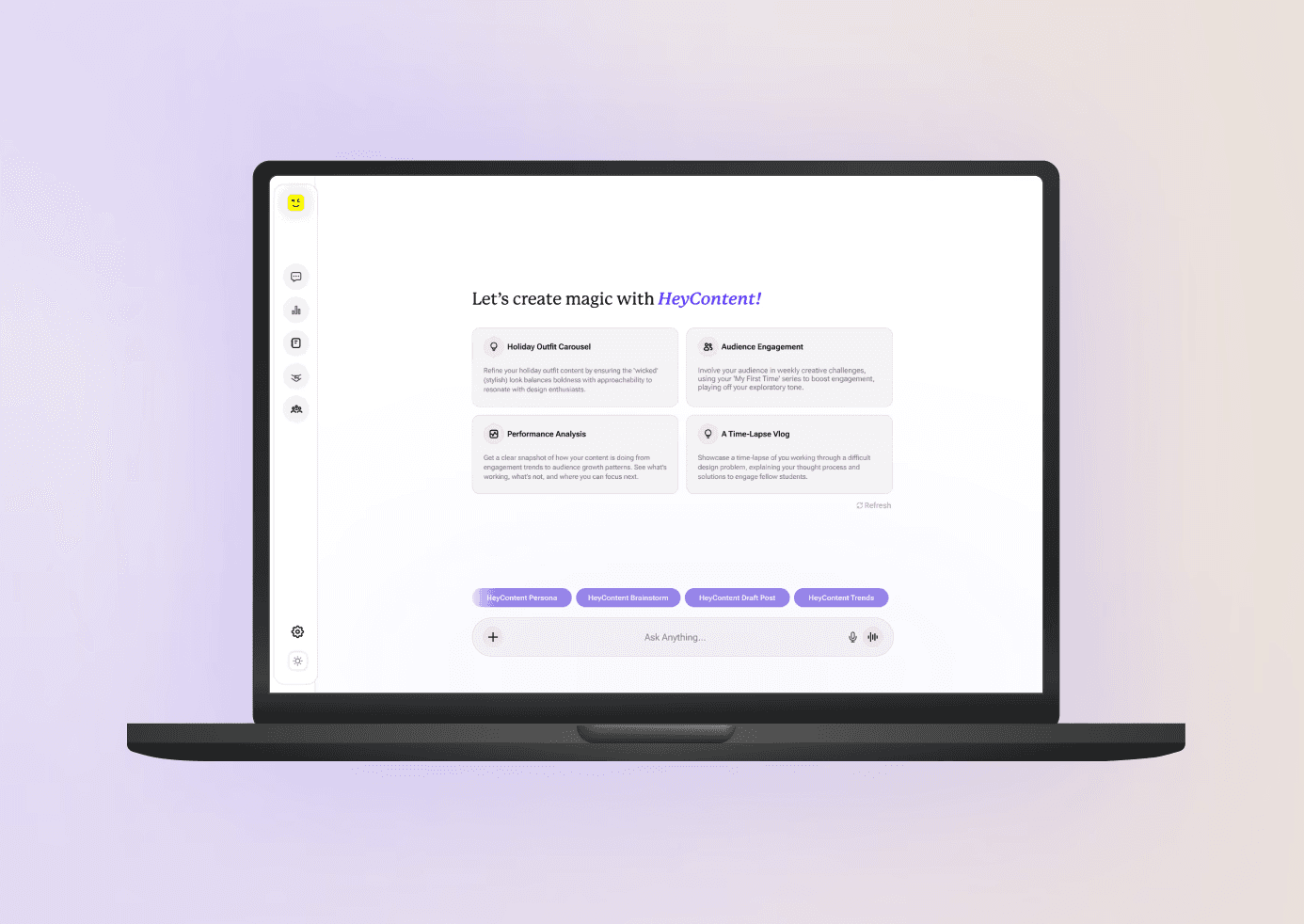
HeyContent
An AI creative copilot that helps creators turn scattered ideas into structured progress. By remembering their context and creative preferences, HeyContent helps them build on previous conversations.An AI creative copilot that remembers creators’ context and preferences, so they can build on past conversations instead of starting over.
Details
Product Designer
My Role
Web-based tool
Surface
May - September 2025
Timeline
CEO • 2 Designers • 3 Engineers • 1 Researcher
Team
Problem
Starting Over, Losing Momentum
Disconnected tools and repeated context-setting made it difficult for creators to carry ideas forward.
Solution
A Creative Partner That Remembers
I designed a connected experience that brings creator personas, editable AI memory, and creative conversations into one workflow.
Result
A Clearer Foundation for Creation
Testing informed clearer persona setup, visible progress, and editable memory to help creators understand and guide their AI partner.
Impact
≥ 90%
Setup Completion
Users complete the setup without assistance.
30%
Repeated Context
Reduce time spent re-explaining preferences across sessions.
Creator Control
Editable AI
Help creators review and refine what their AI remembers.
OVERVIEW
✧ What if content creation could learn and grow with you instead of resetting every session?
Most AI tools generate outputs quickly but fail to retain context or reflect progress over time.
HeyContent introduces an adaptive system that builds context, transforming one-time interactions into a continuous workflow. By understanding user intent, capturing knowledge into structured memory, and reflecting progress through feedback, the system helps creators refine direction and build momentum instead of starting from scratch.HeyContent builds context over time: it understands intent, saves knowledge to structured memory, and reflects progress back, so creators build momentum instead of starting from scratch.
✧ My Role
As a Product Designer, I led end-to-end product design from concept exploration to prototype validation.
I worked closely with engineers and stakeholders to translate creator needs into structured workflows from research synthesis and interaction design to usability testing and iteration.I worked with engineers and stakeholders to turn creator needs into workflows, from research and interaction design to testing and iteration.
I drove key decisions around system behavior, user feedback patterns, and feature prioritization, ensuring the experience balanced AI intelligence with clarity, trust, and user control.I drove decisions on system behavior, feedback patterns, and priorities, balancing AI intelligence with clarity, trust, and user control.
✧ Problem
Creators juggle disconnected tools and repeatedly rebuild context, which breaks momentum.
They struggle to capture ideas quickly, track progress over time, and receive guidance that adapts to their style. Because context does not persist across tools or sessions, creators lose direction, feel overwhelmed, and struggle to build consistent growth.Ideas are hard to capture, progress is hard to track, and guidance doesn’t adapt. With context lost between tools and sessions, creators lose direction and momentum.
RESEARCH & DISCOVERY
✧ Core Insights
The issue isn’t generating content. It’s maintaining continuity.
Interviews with 3–5 creators revealed frustration with fragmented tools, difficulty staying organized, and AI systems that reset context every session. Participants wanted personalized guidance, structured workflows, and a clearer sense of progress over time, which reframed the problem from producing outputs to supporting long-term momentum.Interviews with 3–5 creators surfaced scattered tools, trouble staying organized, and AI that forgets every session. They wanted personal guidance and visible progress, reframing the problem from producing outputs to sustaining momentum.
✧ How Might We
How might we create an AI co-pilot that grows with creators and turns ideas into action within one continuous workflow?
DESIGN
✧ System Overview
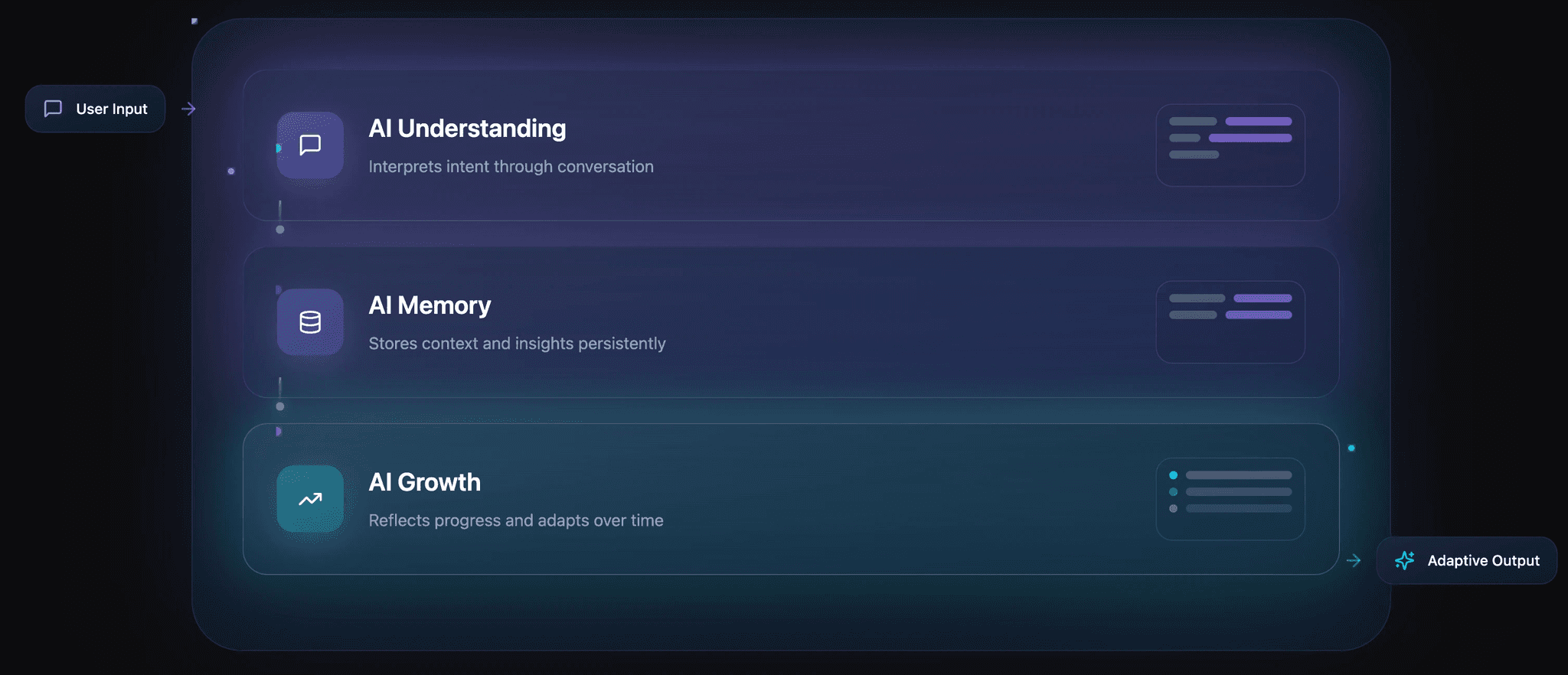
I structured HeyContent around three connected capabilities: understanding, memory, and growth.
The experience is structured as a continuous learning loop. Conversations help the system understand intent, insights are captured into persistent memory, and progress is reflected back through feedback over time. These capabilities surface through three core experiences — chat, Smart Notes workspace, and the timeline — creating continuity across the creator’s workflow.The experience is a learning loop: chat captures intent, insights become persistent memory, and progress is reflected back over time, across chat, the Smart Notes workspace, and the timeline.
✧ Design
I explored multiple ways to connect conversation, organization, and progress into one system.
Early concepts tested how context should move between chat and workspace, how memory should be structured, and how progress could be visualized without overwhelming users. These explorations informed the direction of the V1 prototype.Early concepts tested how context moves between chat and workspace, how memory is structured, and how to show progress without overwhelming users, shaping the V1 prototype.
✴︎ Capability 1: AI Understanding
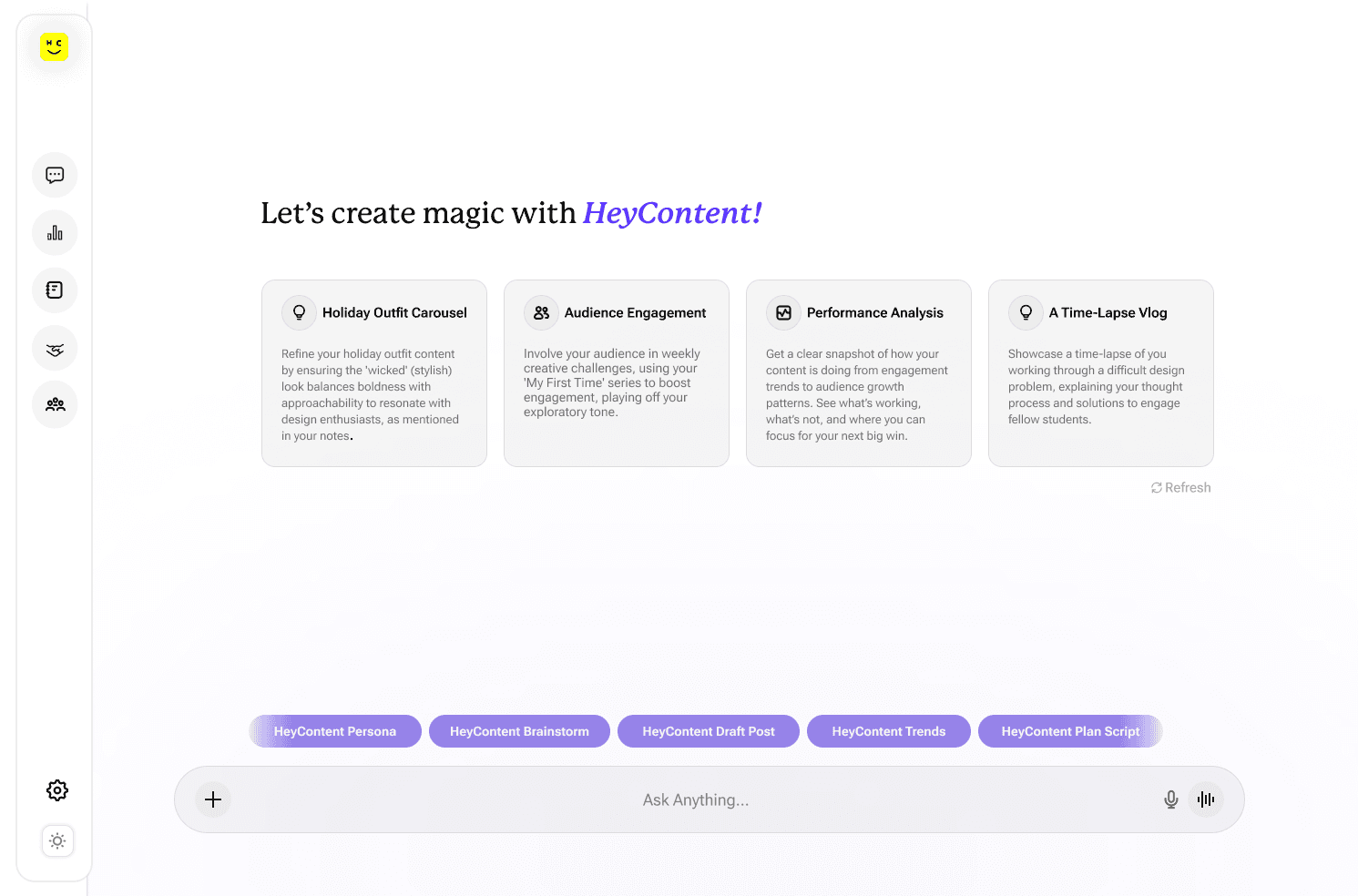
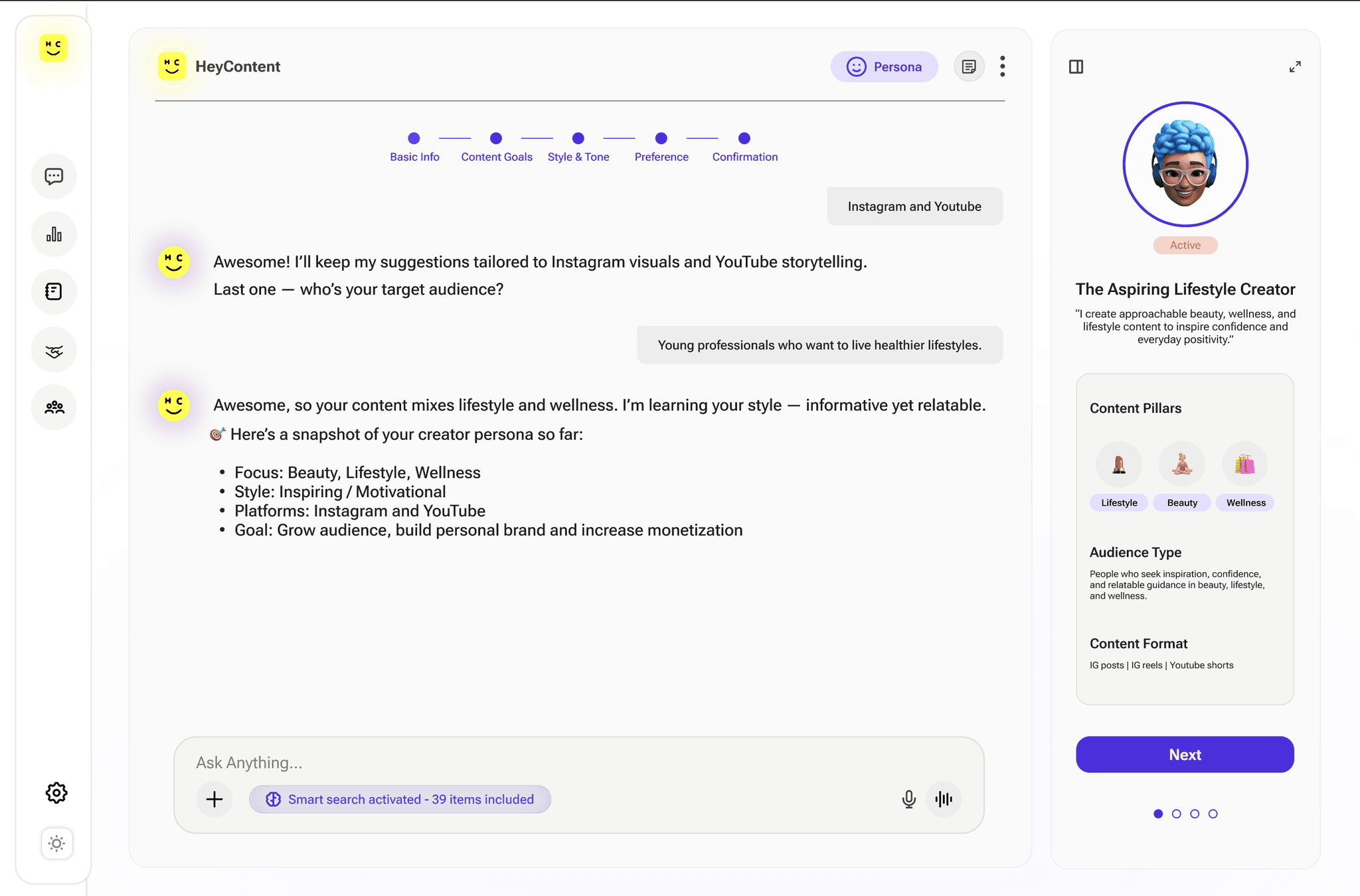
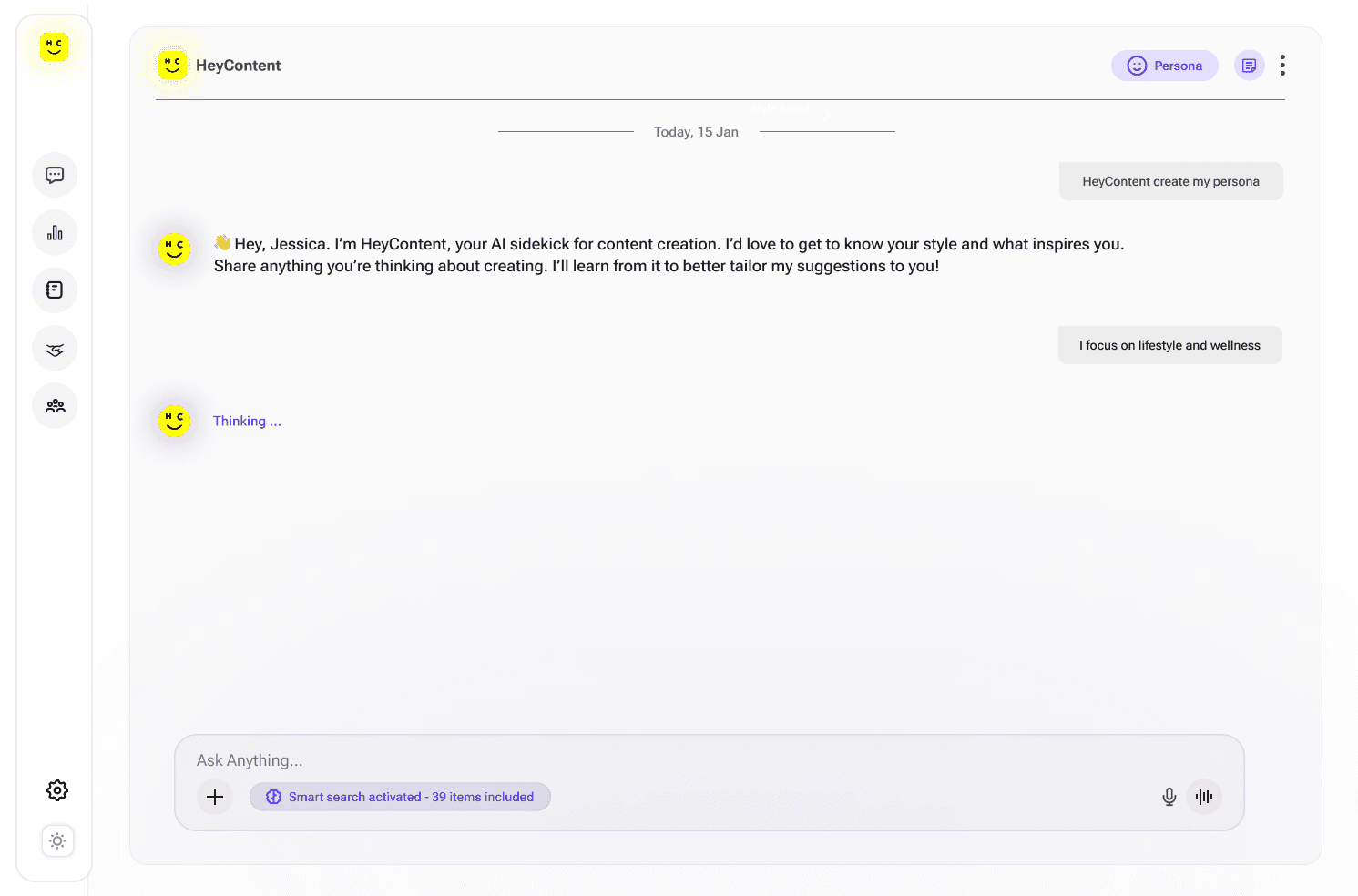
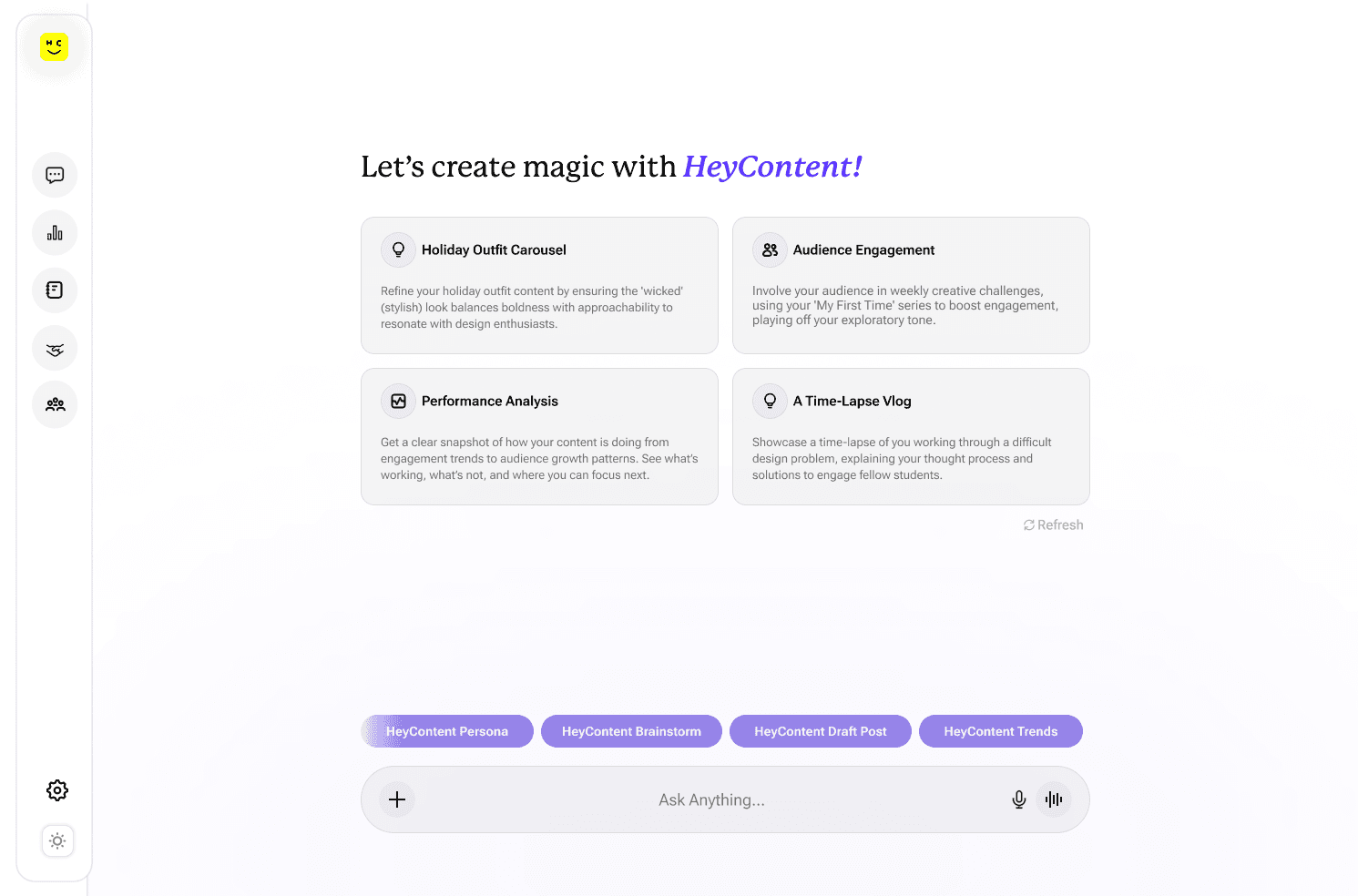
Chat acts as the entry point where the system interprets user intent and begins building contextual understanding.
Designed a guided persona setup flow that supports multiple inputs and provides clear feedback during interaction. The improvements focused on making progress visible, clarifying system status, and allowing users to update their persona easily after setup, reducing uncertainty while helping the system learn more accurate preferences over time.A guided persona setup with multiple inputs and clear feedback: visible progress, clear system status, and easy edits after setup, so users feel sure and the system learns accurate preferences.
✴︎ Capability 2: AI Memory
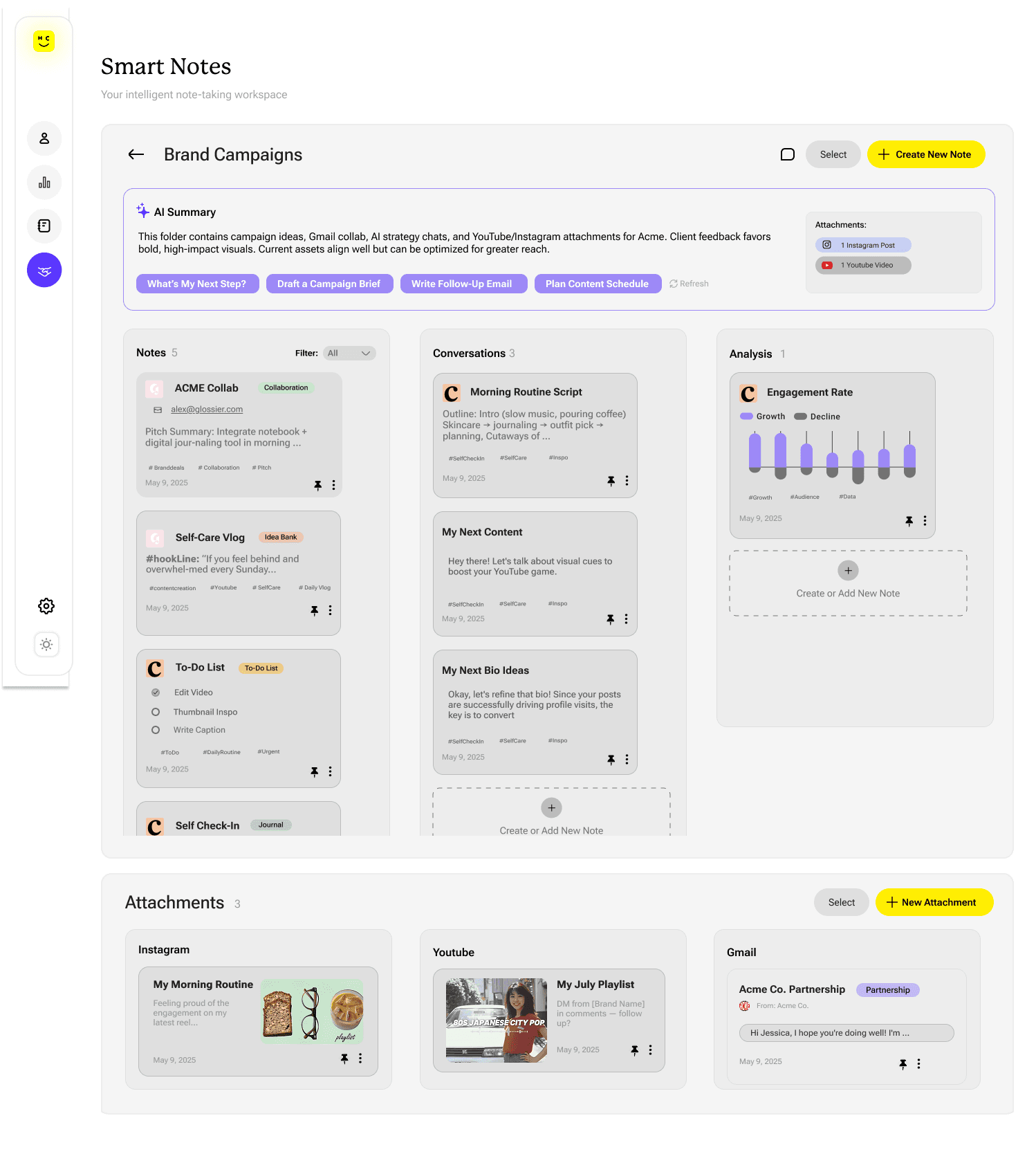
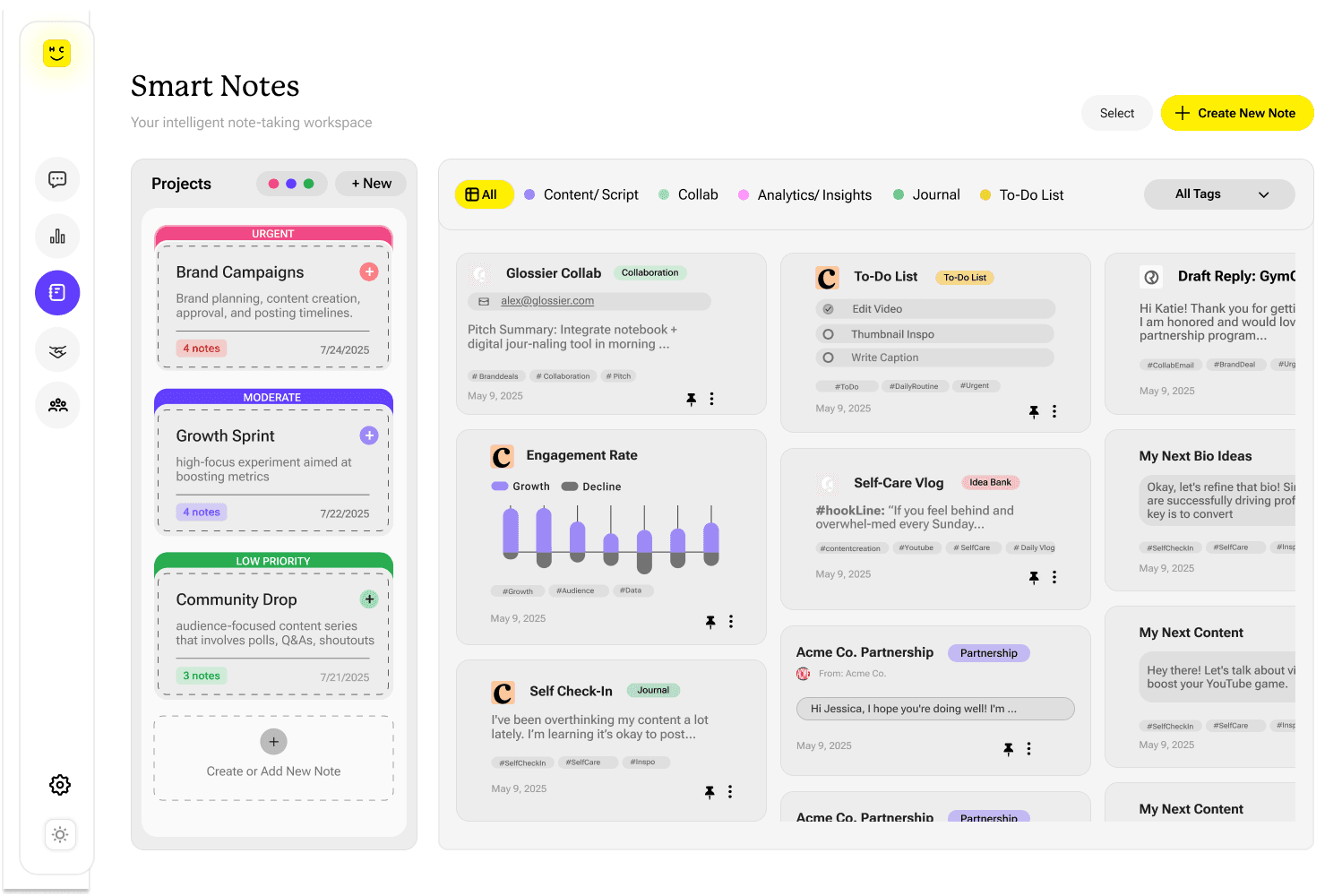
Smart Notes transform temporary conversations into persistent organized knowledge.
I designed both embedded capture and a full workspace that allows users to organize notes into projects and folders.
This supports continuity by ensuring valuable ideas remain accessible and reusable over time.Quick capture in chat plus a full workspace for organizing notes into projects and folders, so good ideas stay easy to find and reuse.
Embedded note panel
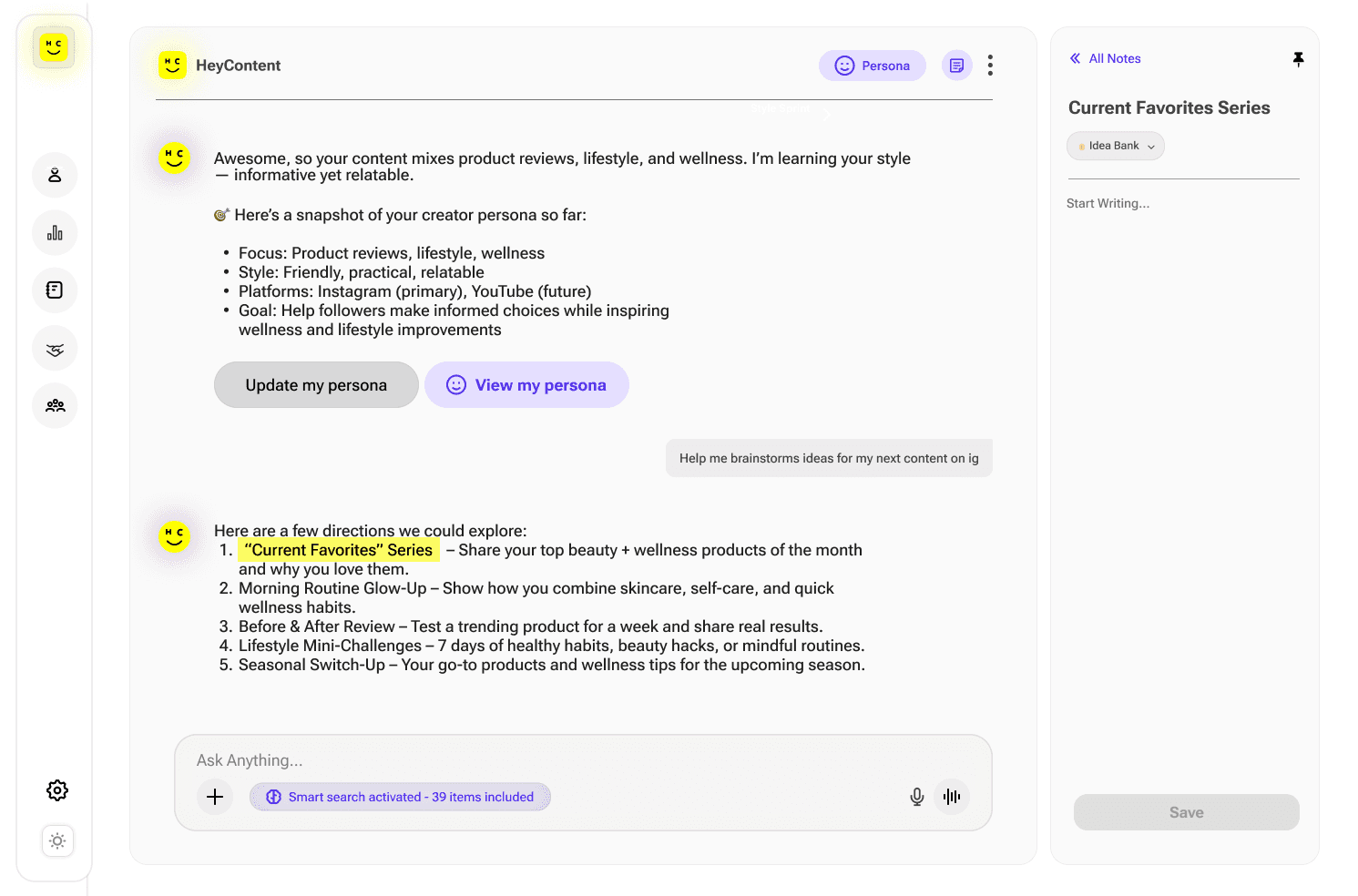
Full workspace
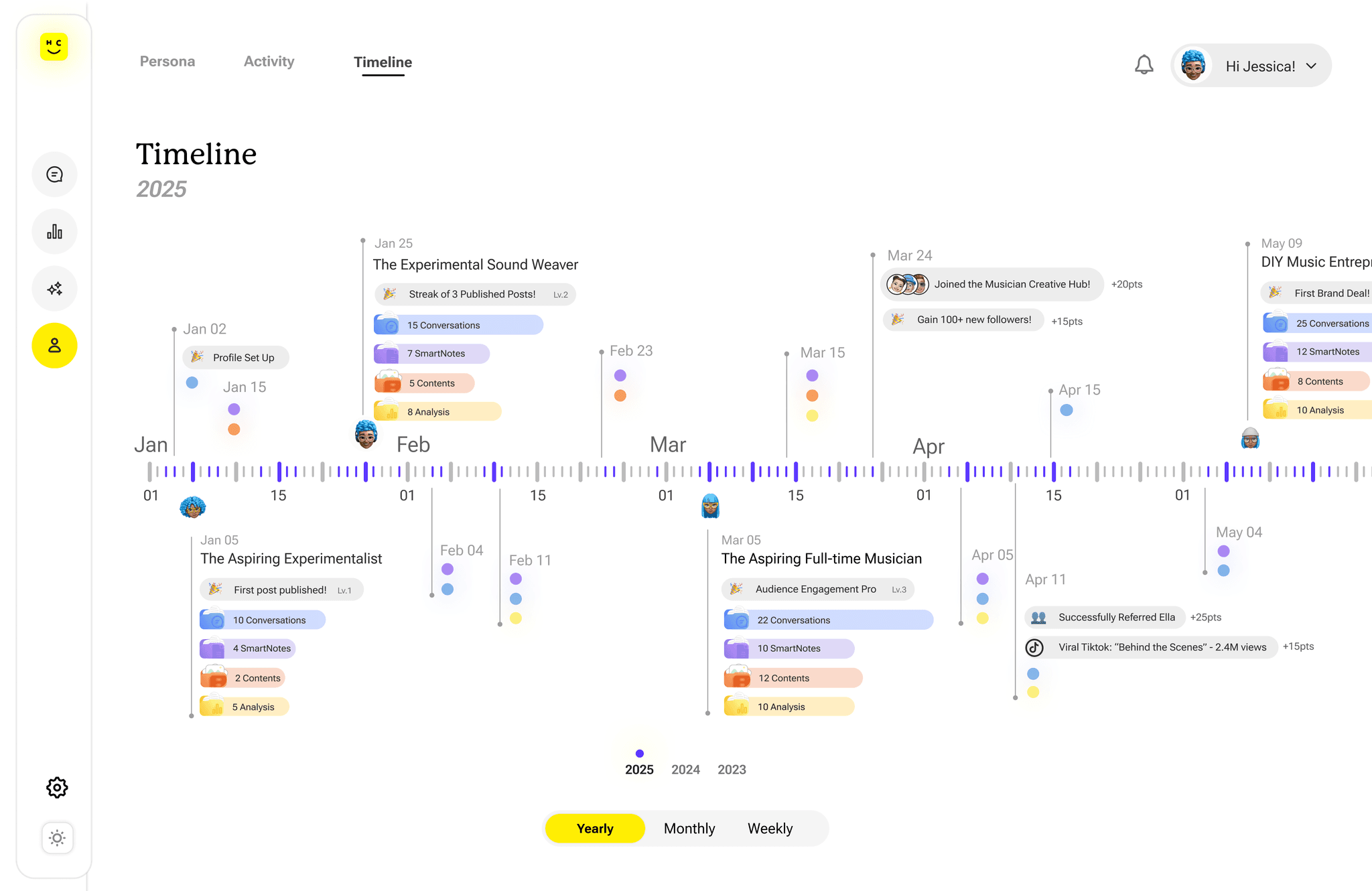
✴︎ Capability 3: AI Growth
The timeline makes progress visible so creators can understand how they evolve over time.
Users wanted a quick way to recognize milestones and patterns across their activity. The timeline connects actions to outcomes, reinforcing motivation and helping creators make more informed decisions about their strategy.Creators wanted to spot milestones and patterns at a glance. The timeline links actions to outcomes, boosting motivation and informing their strategy.
TESTING & ITERATION
✧ V1 Prototype - Usability Testing
Testing focused on whether users understood system feedback and could complete tasks confidently.
I observed how creators interacted with persona setup and AI prompts, identifying confusion around progress visibility and editing controls. Insights directly informed design improvements that increased clarity and confidence.I watched creators use persona setup and AI prompts and found confusion around progress and editing. These insights drove clearer, more confident designs.
Key Observations ⤸
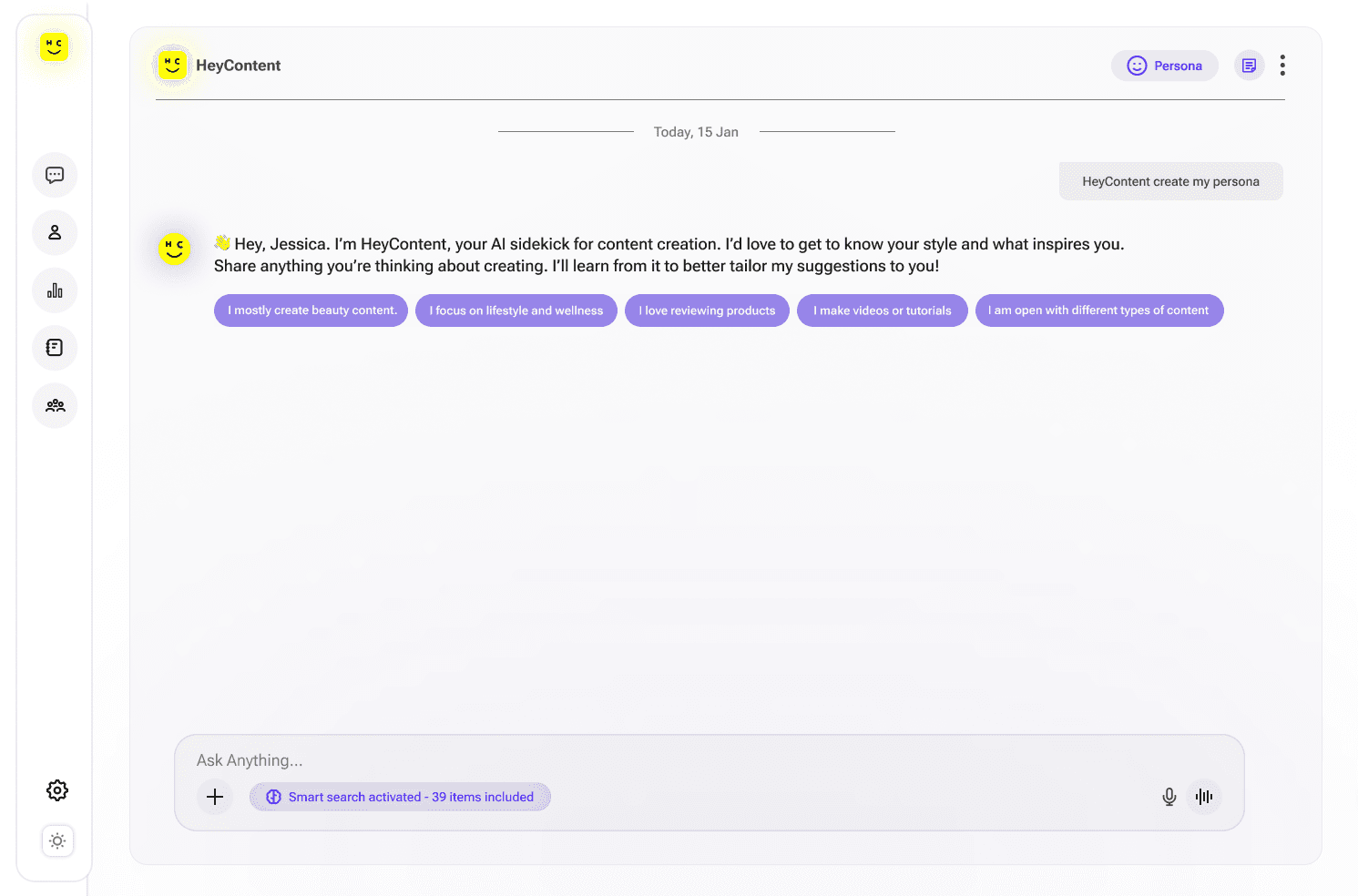
Unclear System Status During Persona Creation
Users are unsure when the persona icon appears, whether it updates in real time, and how long they need to keep interacting with the AI before their persona is summarized.Users aren’t sure when the persona icon appears, whether it updates live, or how long until their persona is summarized.
Lack of Editable Feedback After Generation
Users want a clear and easy way to update or correct their persona after viewing it, highlighting a gap in editable interactions.
Single-Choice Inputs Don’t Reflect Creator Reality
Users may want to select more than one answer or layer responses (e.g., goals, content formats, platforms). The current one-answer flow feels restrictive and doesn’t reflect creators’ reality, highlighting the need for multi-select or expandable input options.Creators often have several goals, formats, and platforms. The one-answer flow felt restrictive, pointing to multi-select or expandable inputs.
Quote
“I’m not sure when my persona is ready or if it’s updating. How long do I need to keep talking to the AI until it is ready?”
✧ From Insight to Iteration
Improvements focused on increasing clarity, control, and confidence in AI interactions.
Usability testing revealed confusion around system status, editability, and input flexibility, particularly during persona setup in the chat experience. I translated these insights into targeted design changes, prioritizing clearer feedback, more predictable interaction patterns, and greater user control at critical moments in the workflow.Testing showed confusion around system status, editing, and input flexibility during persona setup. I prioritized clearer feedback, predictable patterns, and more user control at key moments.
Improve Persona Visibility & Setup Feedback
Make it clear when the persona is active, how it updates in real time, and how long setup takes, so users always know their persona status and progress.Show when the persona is active, how it updates live, and how long setup takes, so users always know where they stand.
Simplify Editing & Updates
Provide an intuitive way for users to edit or correct their persona after setup, ensuring the process is seamless and low-friction.
Supporting Multiple Inputs & Flexible Responses
Allow users to select or layer multiple goals, platforms, and content formats, reflecting the reality of creators’ workflows and avoiding restrictive one-answer flows.Let users pick multiple goals, platforms, and formats to match how creators really work.
These improvements focused on the chat persona flow as the system’s entry point, where early confusion had the greatest impact on user confidence.These changes focused on the chat persona flow, the entry point where early confusion hurt confidence most.
Before
After
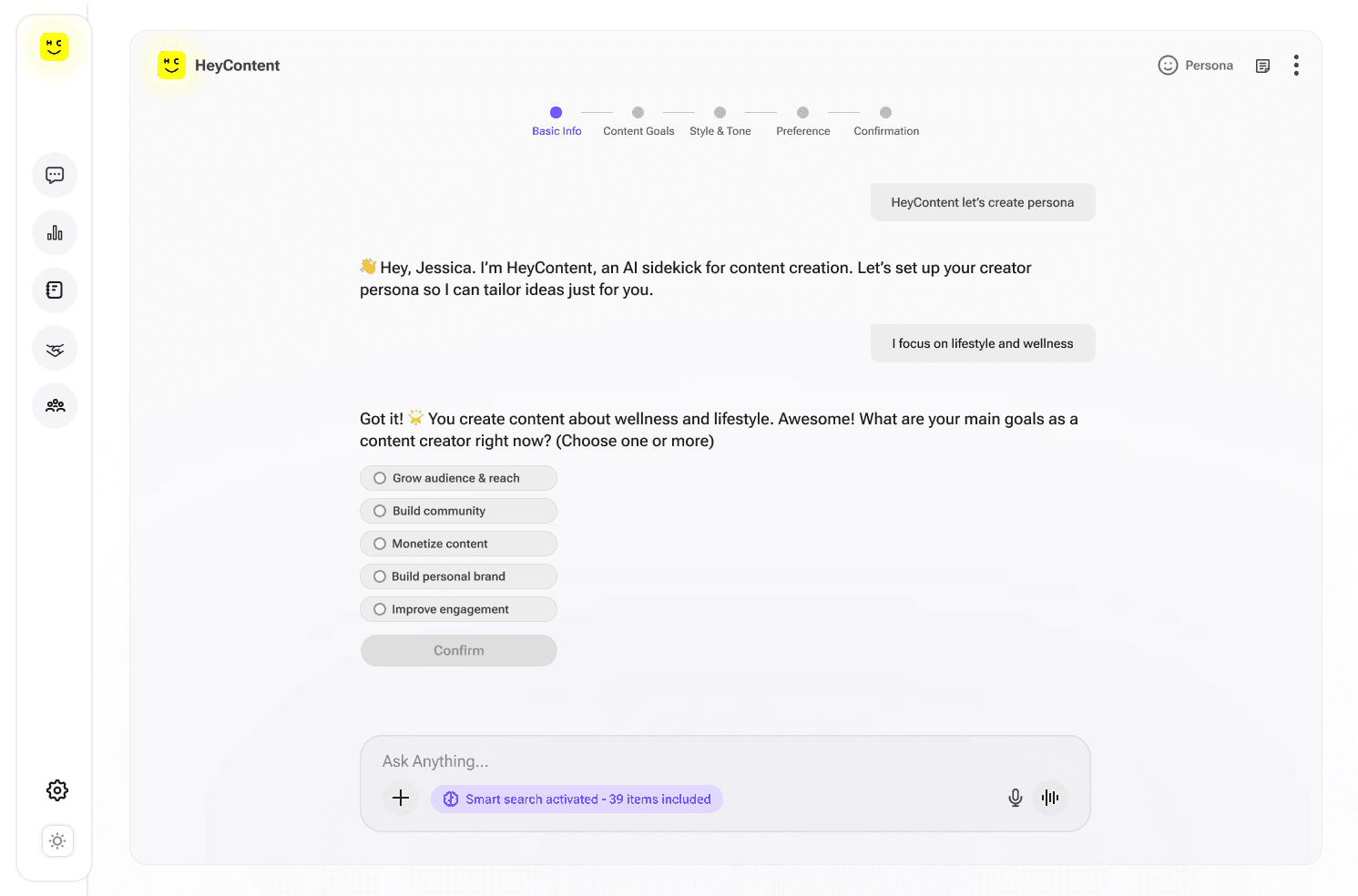
Horizontal progress bar
To guide users through each step of persona setup, reducing uncertainty about completion.
Multiple Inputs
Users can now select multiple inputs via checkboxes, allowing them to reflect answers.
Clear Visual Feedback
The persona button remains grayed out until setup is complete, giving clear visual feedback.
OUTCOME
✧ Impact Summary
The redesigned flows improved clarity and established a scalable foundation for future features.
Updates reduced onboarding confusion and introduced reusable patterns for multi-input responses and progress indicators. The work informed product direction by defining interaction principles for AI-driven workflows.The updates reduced onboarding confusion and created reusable patterns for multi-input answers and progress indicators, shaping principles for AI-driven workflows.
NEXT STEPS
✧ Next Step
Next steps focus on validating long-term value and optimizing the workflow loop.
Test First-Time Setup Flow
Observe how new users respond to the grayed-out persona button to ensure it communicates clearly that setup must be completed before editing.Watch whether new users understand that the grayed-out persona button means setup isn’t finished.
Evaluate In-Context Editing
Gather feedback on the new Edit option inside the persona popup to confirm it reduces confusion and prevents unnecessary back-and-forth navigation.Check that the new Edit option in the persona popup reduces confusion and back-and-forth.
Monitor Onboarding Experience
Measure whether these changes improve overall clarity and ease of setting up a persona during the first interaction with the AI.Measure whether these changes make first-time persona setup clearer and easier.